Make your Android phone a DSLR Camera with Camera FV-5

Make your Zigo Android a DSLR Camera!! with this awesome App
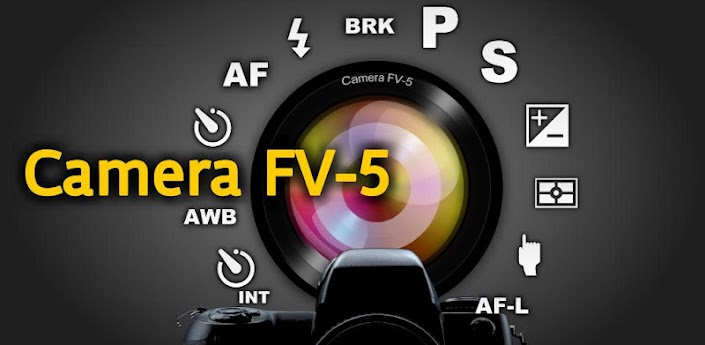
https://lh5.ggpht.com/ZAmi30hWeWQpuIoZLkajzWt0feynKfMPS9QHGaC4czcdNJZ72mP8fWJ7mvYIiov_Zo0=w705

Camera FV-5 is a professional camera application for mobile devices, that puts DSLR-like manual controls in your fingertips. Tailored to enthusiast and professional photographers, with this camera application you can capture the best raw photographs so that you can post-process them later and get stunning results. The only limit is your imagination and creativity!
Major features:
• All photographic parameters are adjustable and always at hand: exposure compensation, ISO, light metering mode, focus mode, white balance and program mode.
• DSLR-like viewfinder display: see exposure time, aperture and stops display with EV and bracketing settings.
• Full fledged exposure bracketing: from 3 to 7 frames, unlimited stops spacing, plus custom EV shifting.
• Built-in intervalometer: make stunning timelapses (even bracketed/HDR timelapses) and time-controlled picture series.
• Program and Speed-priority modes.
• Long exposure support: take beautiful night photos and light trails with long exposure times up to 30 seconds*.
• JPEG as well as PNG** image formats for lossless photo capturing, perfect for post-processing.
• All camera functions assignable to volume keys. You can adjust EV, ISO, color temperature and more using volume keys. Devices with hardware camera shutter key are also supported.
• EXIF and XMP sidecar metadata support.
• Self timer for delayed shooting.
• Autofocus, macro, touch-to-focus*** and infinity focus modes, plus a focus lock switch (AF-L).
• Autoexposure (AE-L) and auto white balance (AWB-L) locks in Android 4.0+.
• In background photo developing and processing allows a smooth, uninterrupted camera operation.
• Digital zoom using multitouch pinch gesture. Also shows 35mm equivalent focal length!

https://lh3.ggpht.com/HEEIaqTBT-fMwSEOIGia9yrUBECuE2tVm7qxDsw4zvmxwMWZbYNl0RWqS9af8ABgzCEo=h230  https://lh4.ggpht.com/Hw0r9QthNVNj4rhnWYNUVh6FaFV4GTRO7cfq1cfADSon945s-zw_fyk9boO_yEtjulKB=h230


 Download:
https://play.google.com/store/apps/details?id=com.flavionet.android.camera.pro

Please note that this is a Paid App (You have to pay for it to use)

The Lite Version is FREE
https://play.google.com/store/apps/details?id=com.flavionet.android.camera.lite


Offline Sinhala Dictionary for Android

Sinhala Dictionary on your Zigo Android Phone or Tablet

https://lh5.ggpht.com/QlP4BEfPXZnWG7Nmi-7QuI0vVBDOT_A3OgVSRsztxqgZoXvPKxL71cAfIRUpNV511FQ=w705

Offline English to Sinhala / Sinhala to English Dictionary for Android version 2.1 and above.
* No internet connection required
* Sinhala meanings, for over 150,000 English words
* Small file size
* Spelling suggestions
* Display the meaning in Sinhala
* No need to install Sinhala fonts
* Shows Sinhala translations in Sinhala font
* English Transliteration
* Sinhala to English Dictionary (NEW)

 https://lh6.ggpht.com/ScHReJ-au41Epf3yR8v83oy_heMH819jGgxipg71EqC3JqZcI73t3vqYnuiMSuY4nw=h230 https://lh5.ggpht.com/WbW7wuAt0pj0hvhbWvEDRqfO3YklsxDjhV1REHmi1IRD2644blzTlcElC3sVJLMliF0=h230

Download:>
https://play.google.com/store/apps/details?id=sachith.com.dictionary.offline&feature=apps_topselling_free#?t=W251bGwsMSwxLG51bGwsInNhY2hpdGguY29tLmRpY3Rpb25hcnkub2ZmbGluZSJd

Pixlr Express - Photo Editing on Android

Photo Editing with Your Zigo Android will never be Easy as this..

https://lh5.ggpht.com/xpZeM41guGWbqguHpCJ9pXG_mJU3-vmvtRq-fSAFqeDFbgwrd2XPv92Q9e7NDTEFmCc=w705


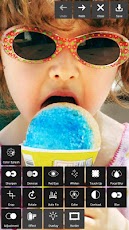
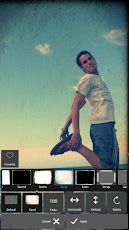
More than 600 effects, overlays, and borders to personalize any image, free!
Pixlr Express is a fun and free photo editor that lets you quickly crop, re-size, and fix any picture, remove red-eye, and whiten teeth. Then choose from more than 600 effects, overlays, and borders to personalize any image—all for free. From the makers of Pixlr-o-matic, Pixlr Express will make you look like a pro, even if you’ve never edited a photo before.
✓ Crop, resize, straighten and rotate images easily.
✓ ‘Auto Fix’ photos for a one-click fix to balance out colors, adjusting for dark photos and poor lighting conditions.
✓ Remove red-eye and whiten teeth with simple tools.
✓ Overlays help you adjust the mood – amplify the tone, cool it down, or add surreal shades.
✓ Lighting effects can add drama, sparkle or a grunge look. Easily adjust the intensity and orientation of each effect.
✓Finish off your photo process with the right border – pick a style that fits you.
✓Look like a pro with cool photo effects like focal blur, denoise and more.
✓Explore color tools to adjust contrast, brighten, or focus on one color with a color splash.
✓Keep track of your favorite effects and overlays with the favorites button.
✓Share your photo directly with your friends through Facebook, Instagram, twitter or any of your favorite sharing apps, or just save it back to your Gallery.
✓No camera required! Select a photo from your gallery and start applying filters. If your device has a camera, you can also snap a new picture from within the app.

 https://lh3.ggpht.com/ttsBaJDw9jEnoLp3ohTPk0k0k7iave5uDeHY0mjYMh7PuNf95_jdHdeEiw_v3rsWMQ=h230 https://lh4.ggpht.com/I3j3gks_bmxyeltIwn2j72WsjZkGBAEvI-pFtoWrfiGZjSvUGARM3pU6coAkhKifCEo=h230 

Download:>

https://play.google.com/store/apps/details?id=com.pixlr.express&feature=apps_topselling_free#?t=W251bGwsMSwxLG51bGwsImNvbS5waXhsci5leHByZXNzIl0.

Talking Tom Cat 2 Free for Android

https://lh3.ggpht.com/vElcT_2Ss4S23ftcfNhafaEZDLjlhSoNt0sWH3M1HoPu4jYIdLY07G_oNzenT0qzdw=w705

Tom is back with an all new adventure!
★★★ EPIC NEW FEATURES ★★★
✔ You can now customize Tom's appearance by buying him accessories like soccer uniforms, hats, sunglasses and lots more.
✔ Make Tom look like a police officer, pirate, construction worker or a cowboy.
✔ You can shop for accessories with gold coins. You can buy gold coins or get them for free.
✔ You get 25 gold coins if you open the app every day.
✔ You get 200 gold coins for every push notification you receive. Make sure you subscribe to push notifications!

 https://lh5.ggpht.com/I5GT3TFqR7eI_4pSlzT926fNKqL1NzlDjOGP0rK96Bf3caKXDX3YuwqHYnJYlMz-ng=h230 https://lh6.ggpht.com/igOhKmEvHu4QXZvuodCg3fzpxaem4PTJADs33TP81TDPHtMW4CcZo5TzOaQrYoIH51ml=h230 

Download:>
https://play.google.com/store/apps/details?id=com.outfit7.talkingtom2free&feature=apps_topselling_free#?t=W251bGwsMSwxLG51bGwsImNvbS5vdXRmaXQ3LnRhbGtpbmd0b20yZnJlZSJd

Skype - free IM & video calls for Android

https://lh5.ggpht.com/X2FnCKL4gS6tXzbCl8BSrr76aFukqoB0U4B7a88Q2_ckZ3g9KfOTQdzyHrkaX1nw1VE=w705


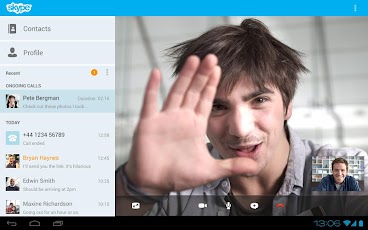
Make free Skype-to-Skype video calls, and call phones at Skype rates on the move
Free voice and video calls to anyone else on Skype, whether they’re on an Android, iPhone, Mac or PC, as well as IMs to your friends and family, no matter where they are.
Features:
- Skype to Skype IMs, video and voice calls are free* over 3G or WiFi.
- Make low-cost calls and SMS to mobiles or landlines from your Android smartphone or tablet.
- Send pictures, videos and files to any of your contacts.
- Enjoy high-quality sound when you call anyone else on Skype.
- Talk face to face or show what you’re seeing with front and rear-facing cameras.
-Talk to your Windows Live Messenger friends on Skype. Sign into Skype with your Microsoft account and have your Messenger, Hotmail and Outlook contacts in one place.
 
https://lh3.ggpht.com/8laqxFtgSpTewoq6_UzyX9T3ZTUHzZ6Sm_nAFP6TgMv6YkBegxrYQa7CG3bz-EuXMQ=h230  https://lh6.ggpht.com/AUc4aAW3jA3E9uzQHfKVNq1COHr5P8B-4ce0T0iE_QX-_9tGMmM6MMP7rW22OUiq8w=h230

Download:>
https://play.google.com/store/apps/details?id=com.skype.raider&feature=apps_topselling_free#?t=W251bGwsMSwxLG51bGwsImNvbS5za3lwZS5yYWlkZXIiXQ..

Adobe Photoshop Touch for Android


https://lh6.ggpht.com/OoS6-hmFSMcWQhbbyiftXNKLtHTwK2IoKb1CeEefuyN-9xUn5EuxLjNhUADMTNOz5w=w705 

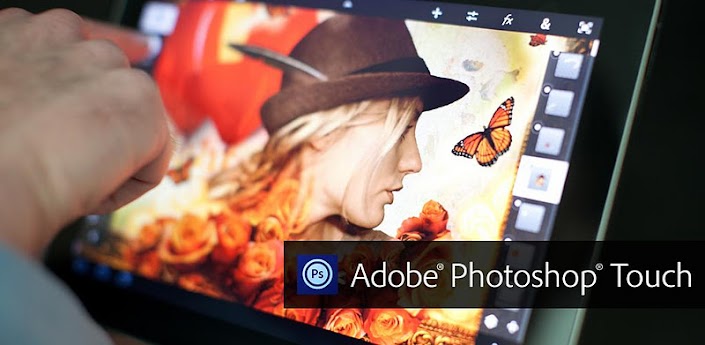
Transform images with core Photoshop features in an app designed for tablets.
Transform your images with core Adobe Photoshop features in an app designed for tablets.
Combine images, apply professional effects, share results with friends and family through Facebook and Twitter – all from the convenience of your tablet.
• Use popular Photoshop features designed for the tablet such as layers, selection tools, adjustments, and filters to create mind-blowing images.
• Use your tablet camera to fill an area on a layer with the unique camera fill feature.
• Select part of an image to extract by scribbling with the Scribble Selection tool. With Refine Edge, use your fingertip to capture even hard-to-select image elements, like hair, with ease.
• Work on high-resolution images while maintaining the highest image quality. Supports images up to 12 megapixels.
• Follow step-by-step tutorials to easily learn techniques the pros use for great-looking results.
• Search and acquire images with the integrated Google Image Search.
• Browse an inspirational gallery for the styles and results you'd like to achieve.
• Automatically sync projects to Adobe Creative Cloud* and open layered files from Adobe Photoshop Touch in Photoshop CS6 or Photoshop CS5.1.
• Free membership to Creative Cloud gives you 2GB of cloud storage plus the ability to sync between tablet and desktop, access files from the web, and easily share with others.

Download :>
https://play.google.com/store/apps/details?id=air.com.adobe.pstouch

This app is NOT FREE

Temple Run Adictive Android Game

nbz0aMr7f3HD6cQJRqJmQ6Z9QbpDq9dq9ciSFsQiwQZsVsaJiFLHX9Oelmu486-MdK8B=w705 (705×344)

Run for your life!
The addictive mega-hit Temple Run is now out for Android! All your friends are playing it - can you beat their high scores?!
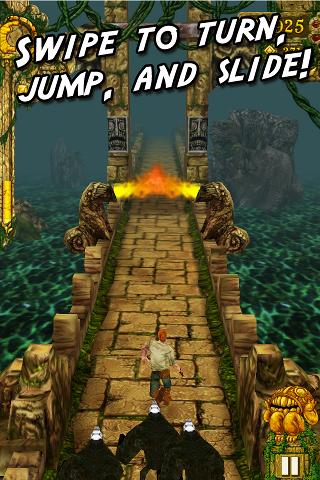
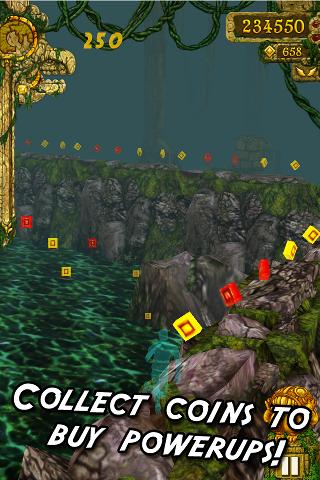
You've stolen the cursed idol from the temple, and now you have to run for your life to escape the Evil Demon Monkeys nipping at your heels. Test your reflexes as you race down ancient temple walls and along sheer cliffs. Swipe to turn, jump and slide to avoid obstacles, collect coins and buy power ups, unlock new characters, and see how far you can run!
"In every treasure hunting adventure movie there’s one scene in which the plucky hero finally gets his hands on the treasure but then has to navigate a maze of booby traps in order to get out alive. Temple Run is this scene and nothing else. And it’s amazing."...
xCsL4NrBzeH676lsyEmP-8Z5Hpw3rXC38R2-dUuXTc7jedwipLm3iMjyJ_Y0vFKHZQI (320×480) 6-GL9yAEC6yrN9ML_OfUAo1A1sdlQc-18vNoM0G_6Uylx3og8AWcWY51upLMiBmMXWI (320×480) 
 Download:

Identify Music with Shazam for Android


ZesjiwpI6VflCmpDJW96KopB7mcWbldp17EEPKeKSmynwYiJrX9-uGDwLV6n9wadN7Cz=w705 (705×344)

Hear a song you don't know? Shazam identifies it instantly. Free and Unlimited.
Faster tagging. Now discover, explore and share more music, TV shows and brands you love in as little as one second.
With free and unlimited tagging use Shazam as much as you want, and experience more of what you like, faster.
Ud2wrPJqdImINL2UGsYFfgEgAzwTkp4_KfcUTnOGAVeXRIih9r2VwHUCPDVDn2PF4Zc (288×512) SXDsRB2ijEGq5A06ga4LR5OJoq800dhGfGnK4P1xXjO9CUDTCoie4LHRrDyo7d6rebI (288×512) 
 Download:>

Any.DO for Android

 1. Any.DO, Free

There are a lot of task managers and to-do lists in the Android market, but Any.DO rises to the top. The app makes it easy to add anything that enters your mind, but then the app lets you drag and drop that task into different folders or onto different days. This makes it as easy to add something to next week's to-do list as it is for today's to-do list. Throw in the built-in sharing features and Any.DO can help you manage not just your tasks, but those of friends and coworkers. There are also versions for Chrome, the Web, and even the iPhone.

Download :>
https://play.google.com/store/apps/details?id=com.anydo&feature=search_result#?t=W251bGwsMSwxLDEsImNvbS5hbnlkbyJd

T.M. Dilshan with Zigo Eon 5i


Zigo Mobiles Android © 2012 | Designed by Cheap TVS, in collaboration with Vegan Breakfast, Royalty Free Images and Live Cricket Score